
Quizzes > Settings
What are Quizzes Settings?
Quizzes Settings is where you control who on your team can do what with Questions and Quizzes, through a set of per-action permissions. This article describes each permission and how they work together.
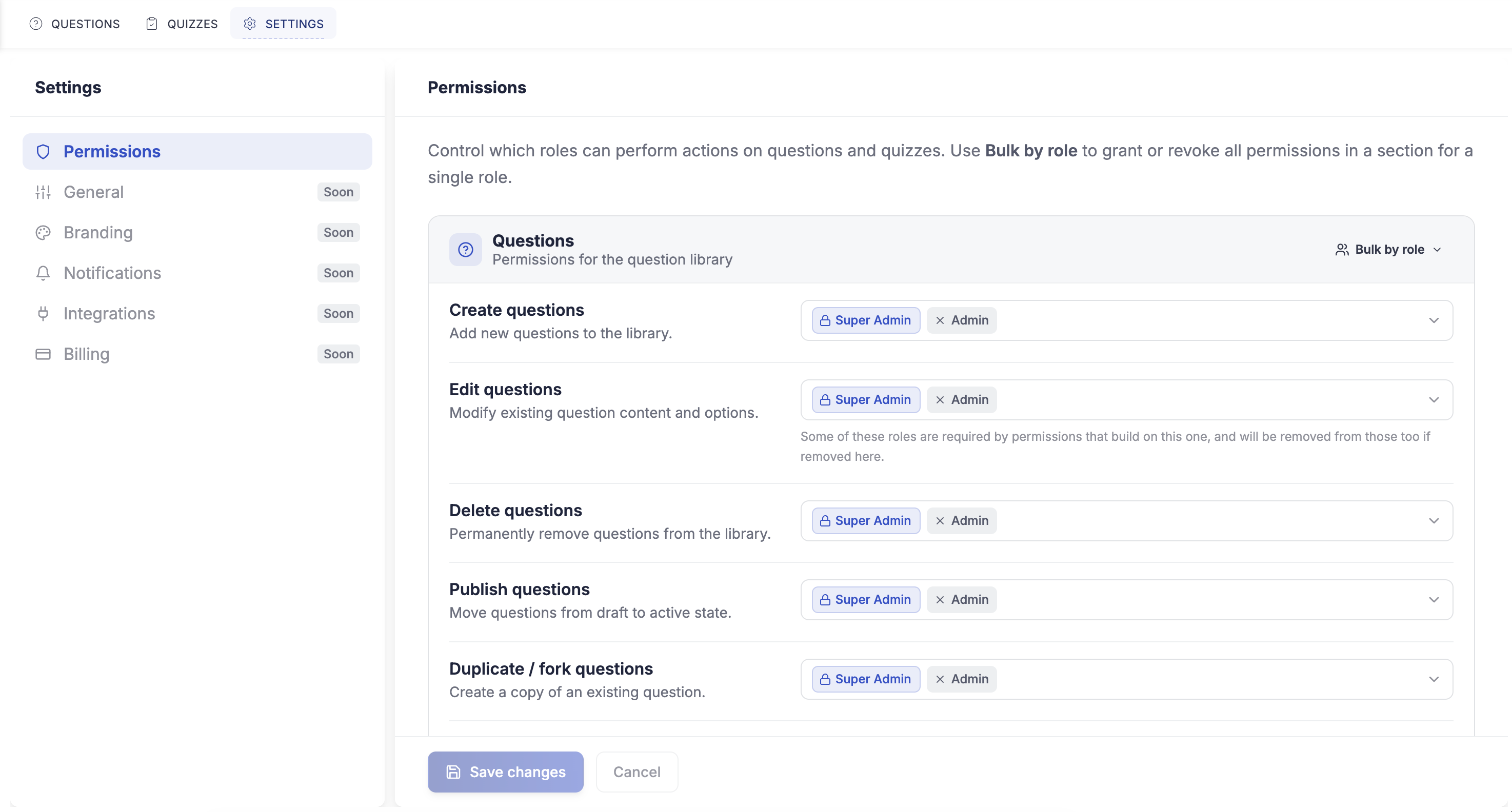
IMPORTANT: Quizzes Settings is available to the Master Account and can be delegated to your Account and Admin Managers. Other Staff do not see it.
Question permissions
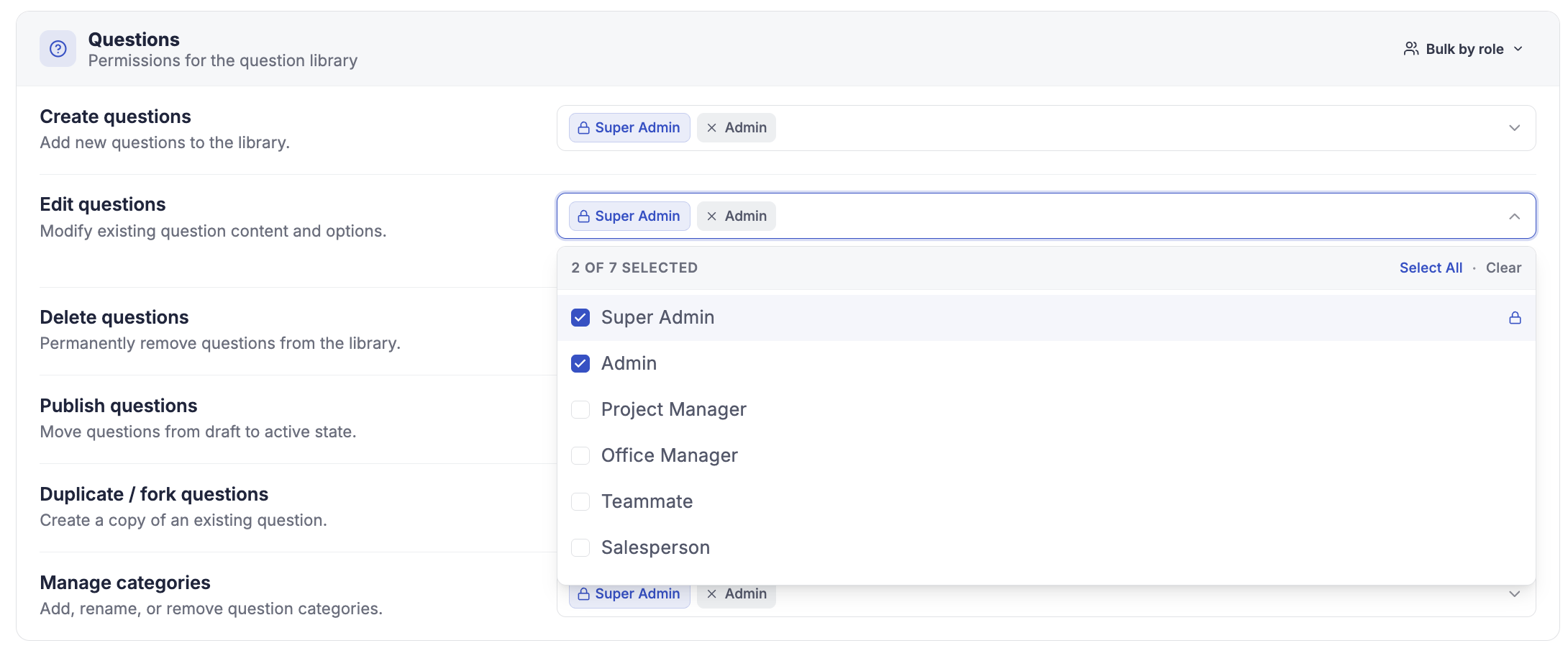
These control what a role can do in the Questions library:
- Create: add new questions.
- Edit: change existing questions.
- Delete: remove questions.
- Publish: publish a question so it can be used.
- Duplicate: copy an existing question as a starting point.
- Categories: manage the question categories.
CLICK HERE to learn about building Questions.
Quiz permissions
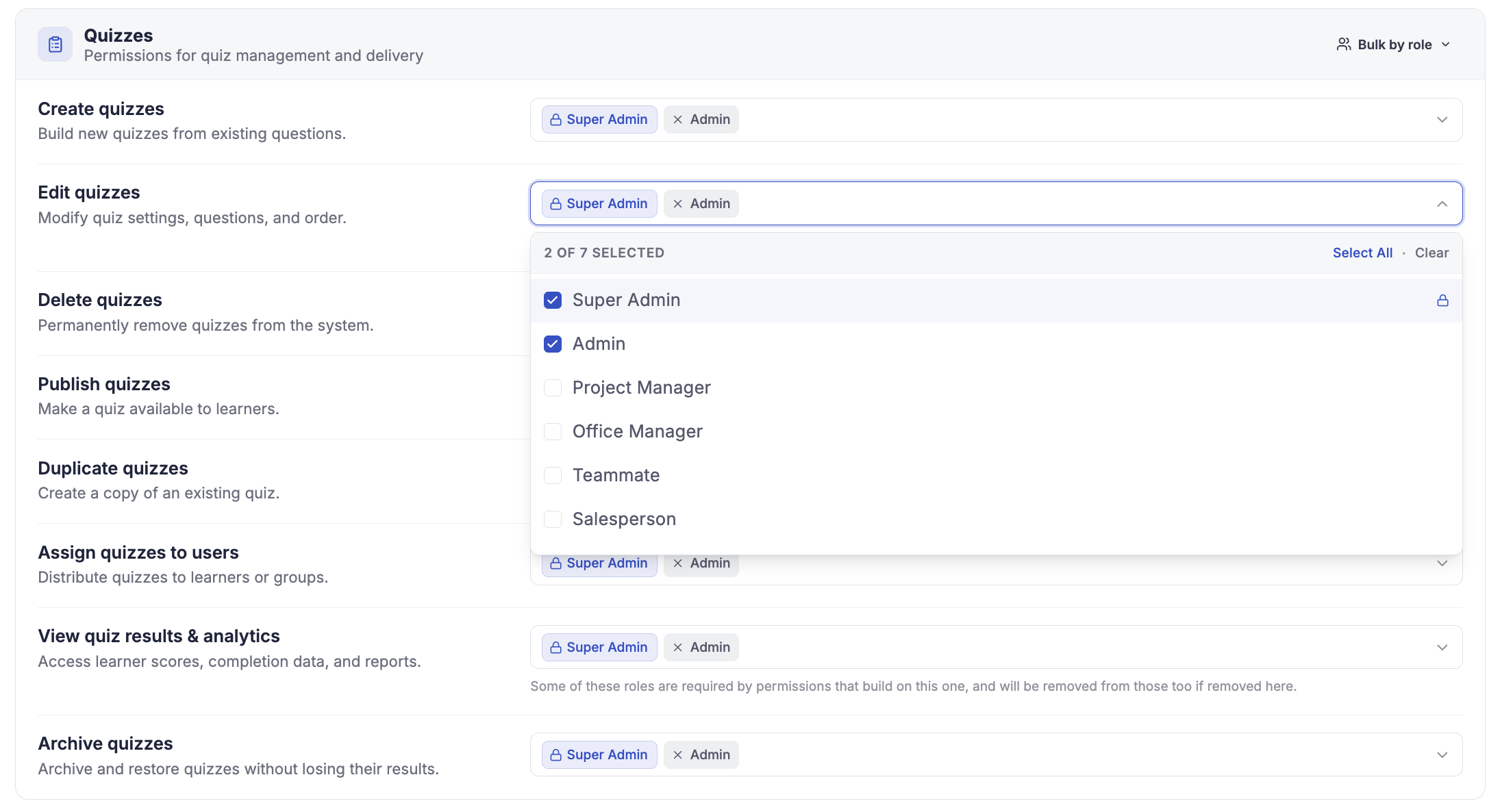
These control what a role can do with Quizzes:
- Create: build new quizzes.
- Edit: change existing quizzes.
- Delete: remove quizzes.
- Publish: publish a quiz so it can be assigned or attached to a Quiz Form.
- Duplicate: copy an existing quiz.
- Assign: assign a quiz to Contacts or Staff.
- Results: view the Members & Results roster and each person's answers.
CLICK HERE to learn about creating and assigning Quizzes.
How do the permissions depend on each other?
Some permissions rely on others, so the settings keep them consistent for you. When you enable a permission that needs another, the dependent one is turned on automatically and shown as read-only. The rules are:
- Publish, Create, or Duplicate a question requires Edit question.
- Publish, Create, or Duplicate a quiz requires Edit quiz.
- Assign a quiz requires Results, since assigning is only useful if you can see the roster and outcomes.
TIP: Because the dependencies are applied automatically, you cannot accidentally leave a role in a broken combination, such as being able to assign a quiz but not see who took it.